Detective's Room Update 6

Work In Progress / 09 October 2023

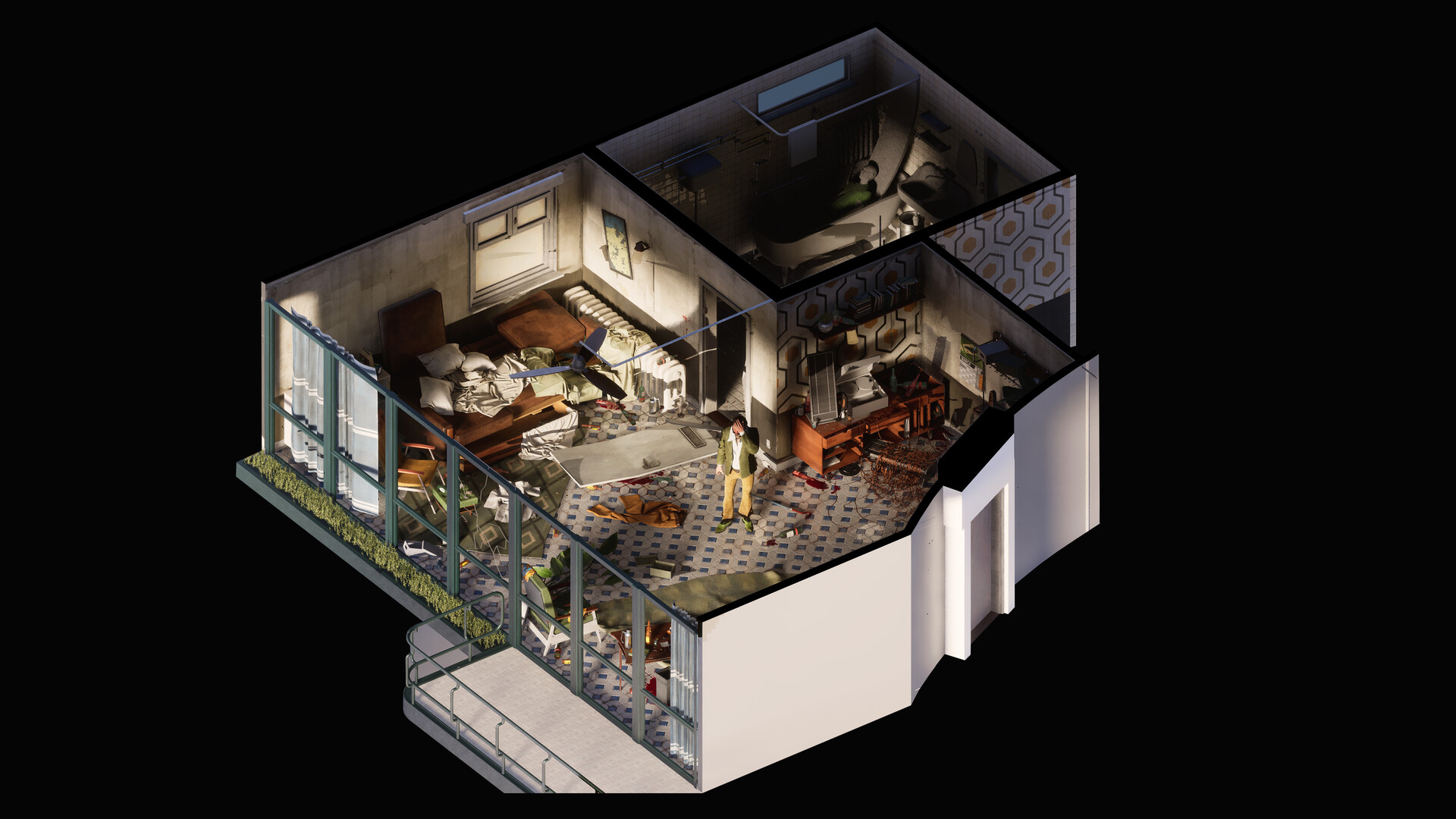
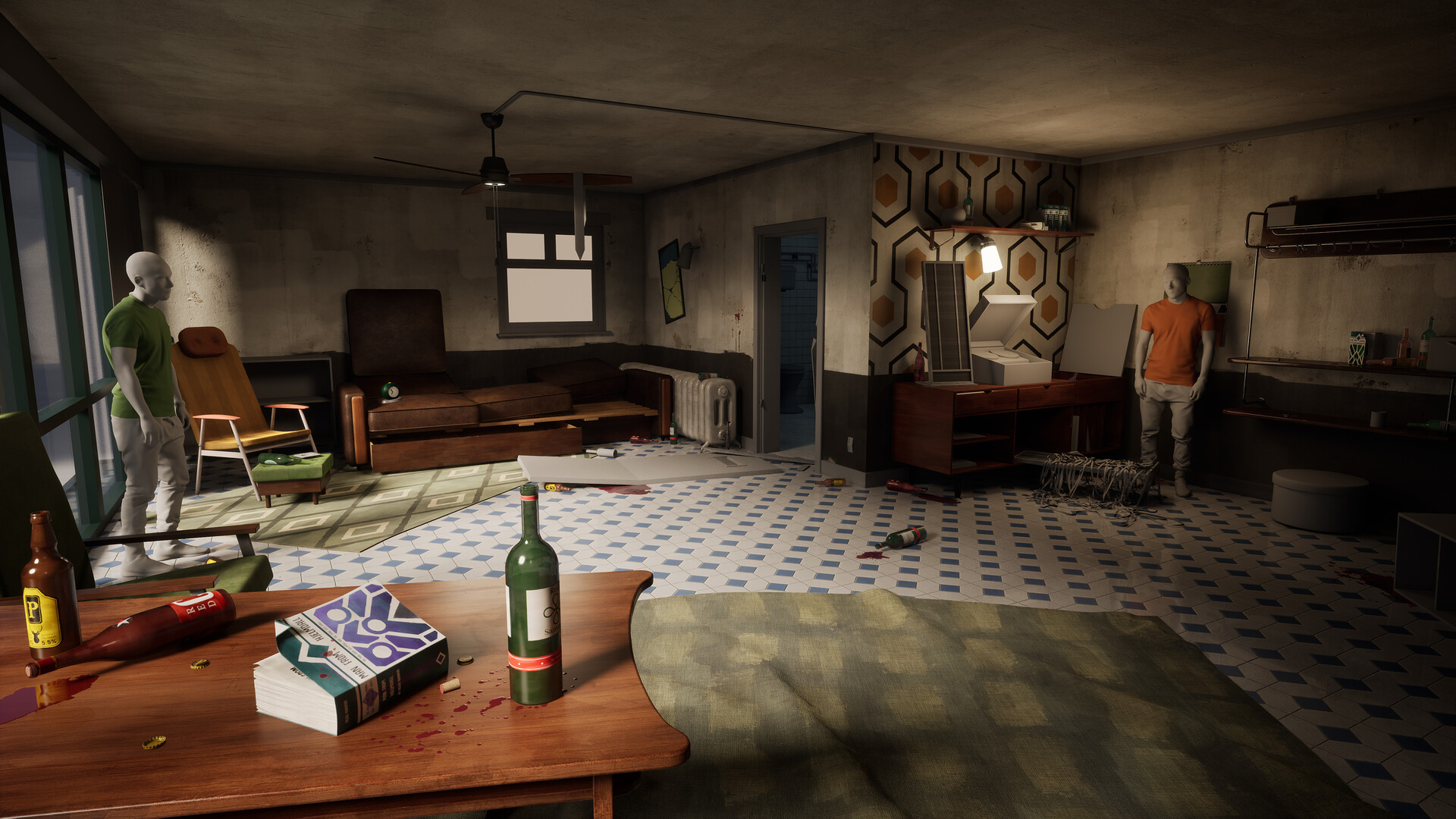
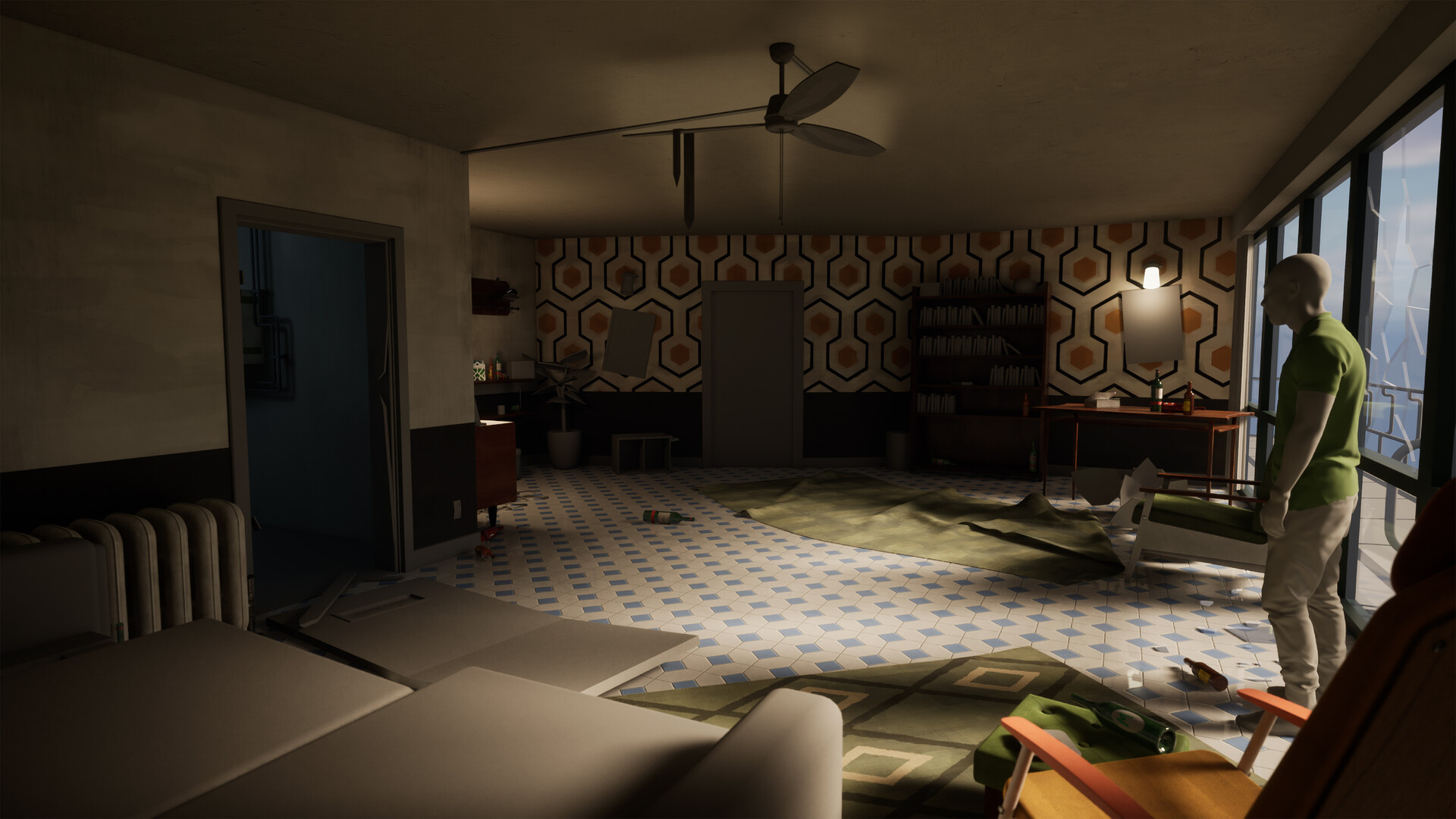
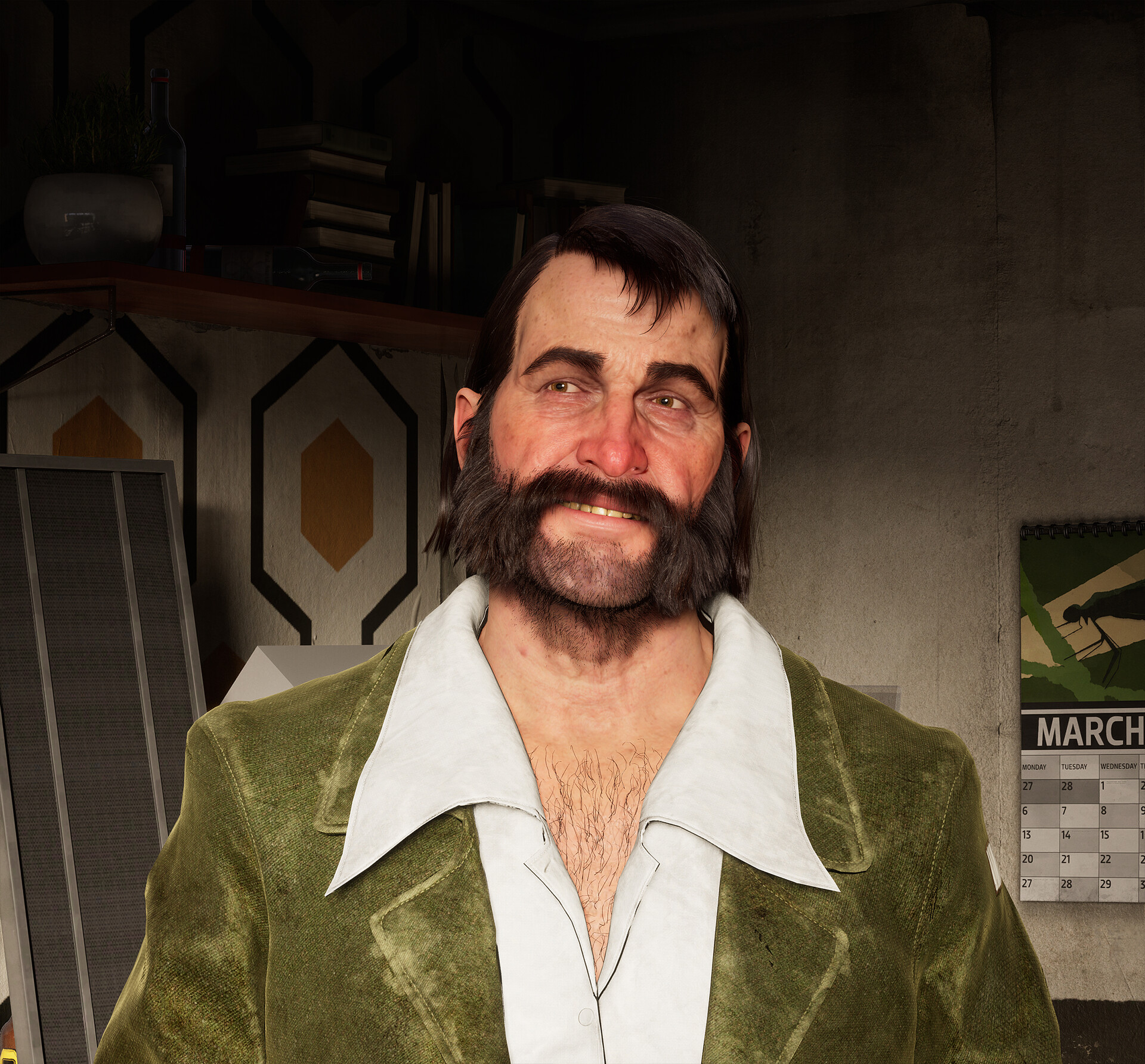
Hey all, the project continues, but there’s been an exciting collaboration in the works with Jean Zoudi and I. Jean has been generous enough to share his Harrier Du Bois piece so that the detective's room can finally have its detective.


Can’t express how cool it is to have the main character of the game in the scene, and for it to fit in nicely too! Big thanks to Jean for this, go check out his artstation, he has some seriously cool projects - https://www.artstation.com/artwork/n0JElX

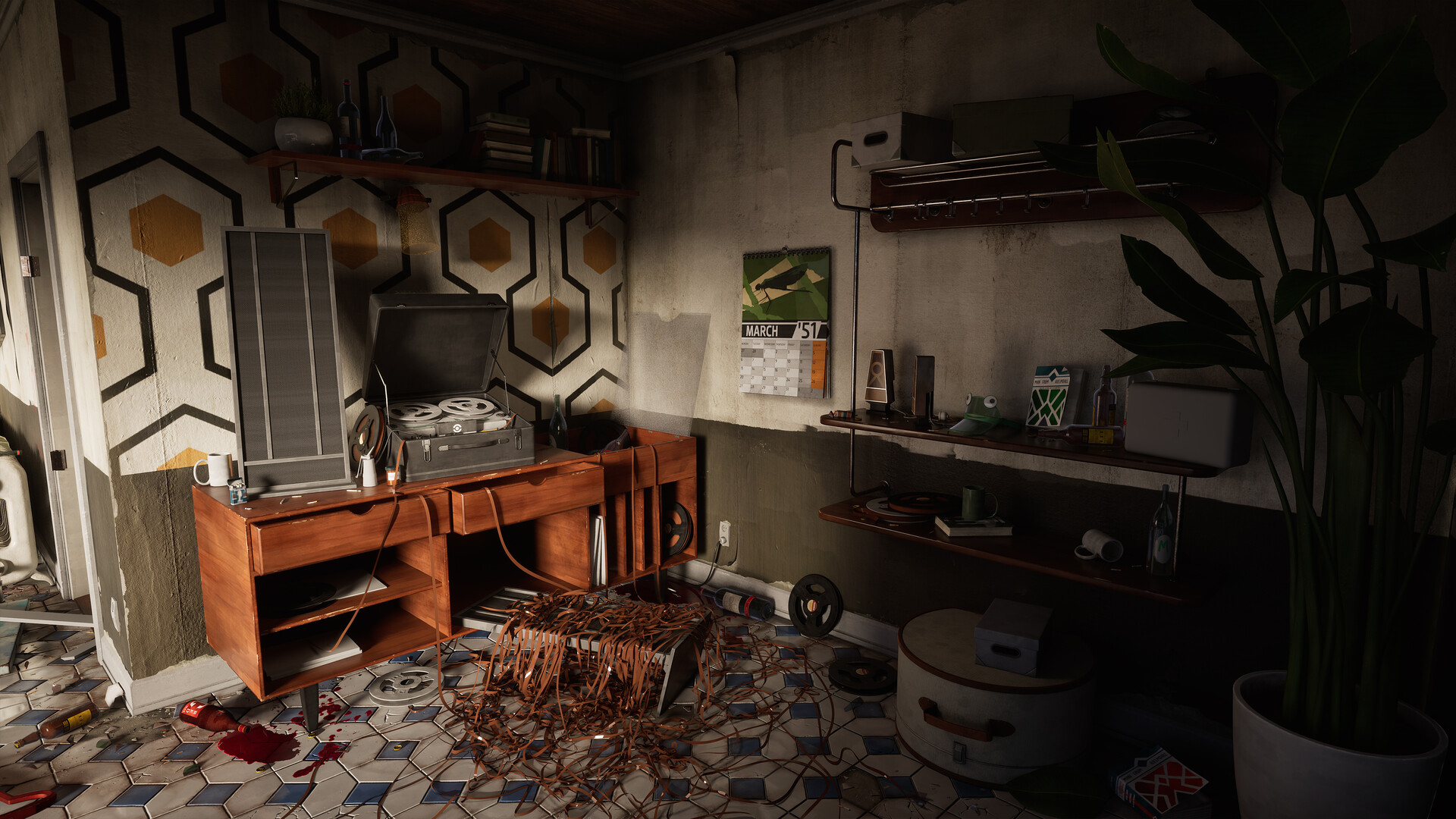
I’ve been spending a bit more time on detailing, adding some torn wallpaper decals, breaking floor tiles, and just more grunge / shadow decals to help ground and set assets into the scene a bit better. 

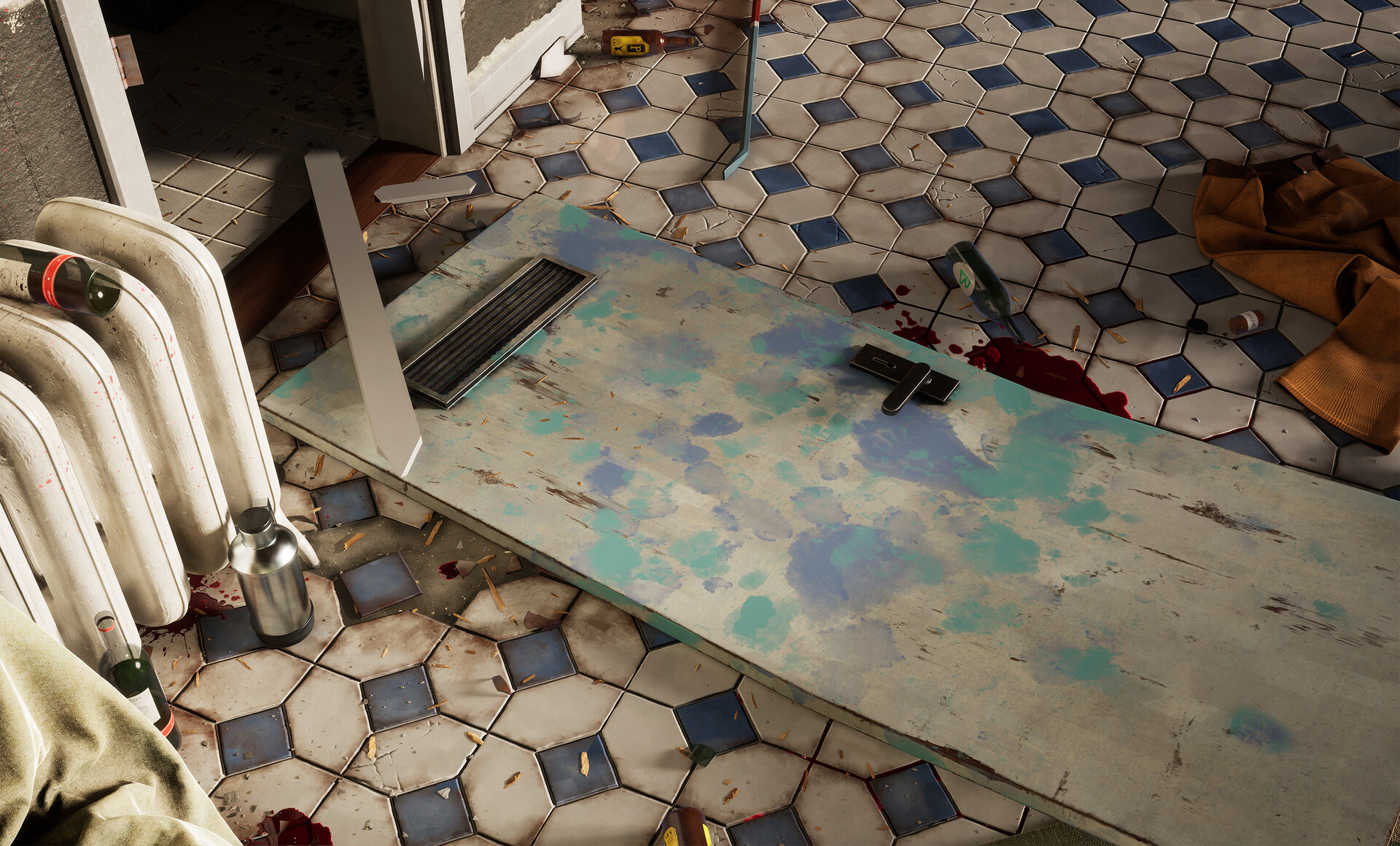
I also started work on the broken door on the floor, which in game has this strange blue and cyan splattering which I can only assume has come from some sort of paint or maybe alcohol? It’s a bit of an odd splattering, but I really like the contrast and the strangeness of the colour so I need to contextualise where this is coming from. The door is just using my main door model with a retexture, so fracturing and smashing this thing up is also coming soon.

Figuring out what we can see outside of this big window has been a bit of a challenge, and I’ve been playing with dropping in some exterior assets with either megascans or simple geometry then adding a bit of fog. Still not sure whether I want to commit to an angle showing this side of the scene off, but it’s nice to have a bit of a foundation just in case I feel like it. 

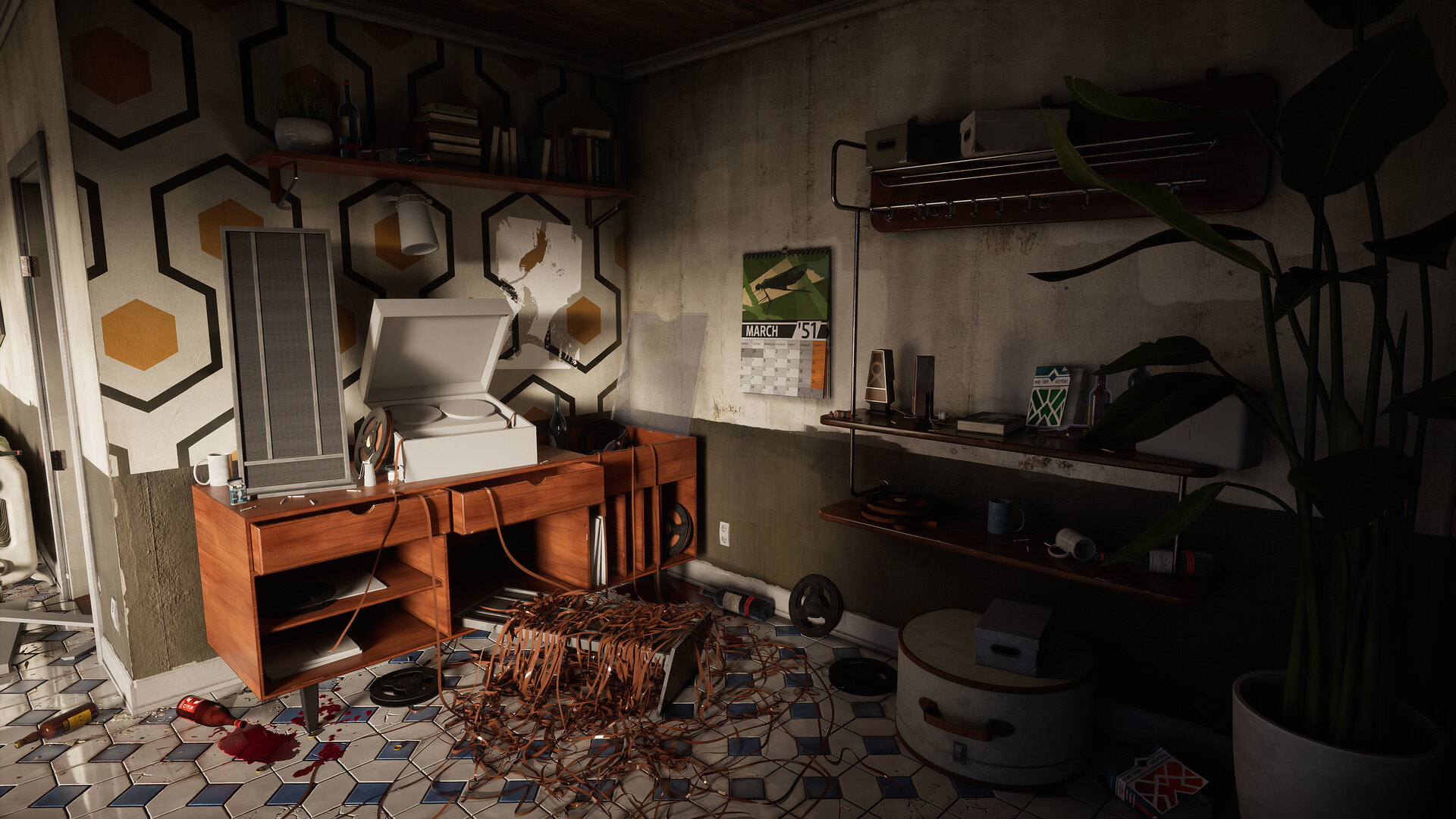
Still noodling away on various assets, one of the more interesting ones has been the record player. I’m getting pretty close to having all of the assets textured which means I can crack on with polishing some of the larger assets that need a bit of extra attention. Things like the sofa cushions need a remodel, and some of the larger assets like the table and the record player unit need some more texture detail as they’re looking a bit rough. 

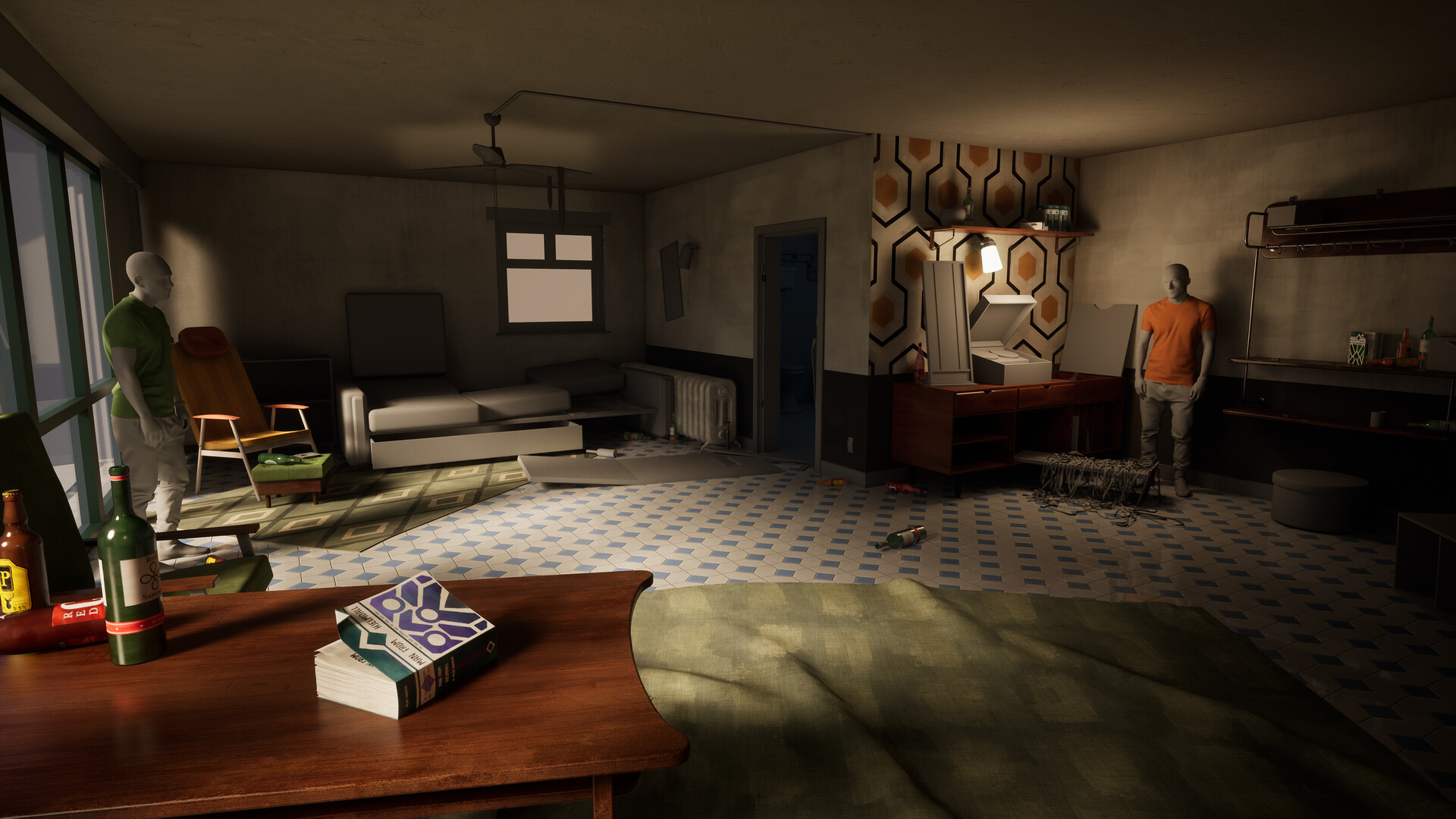
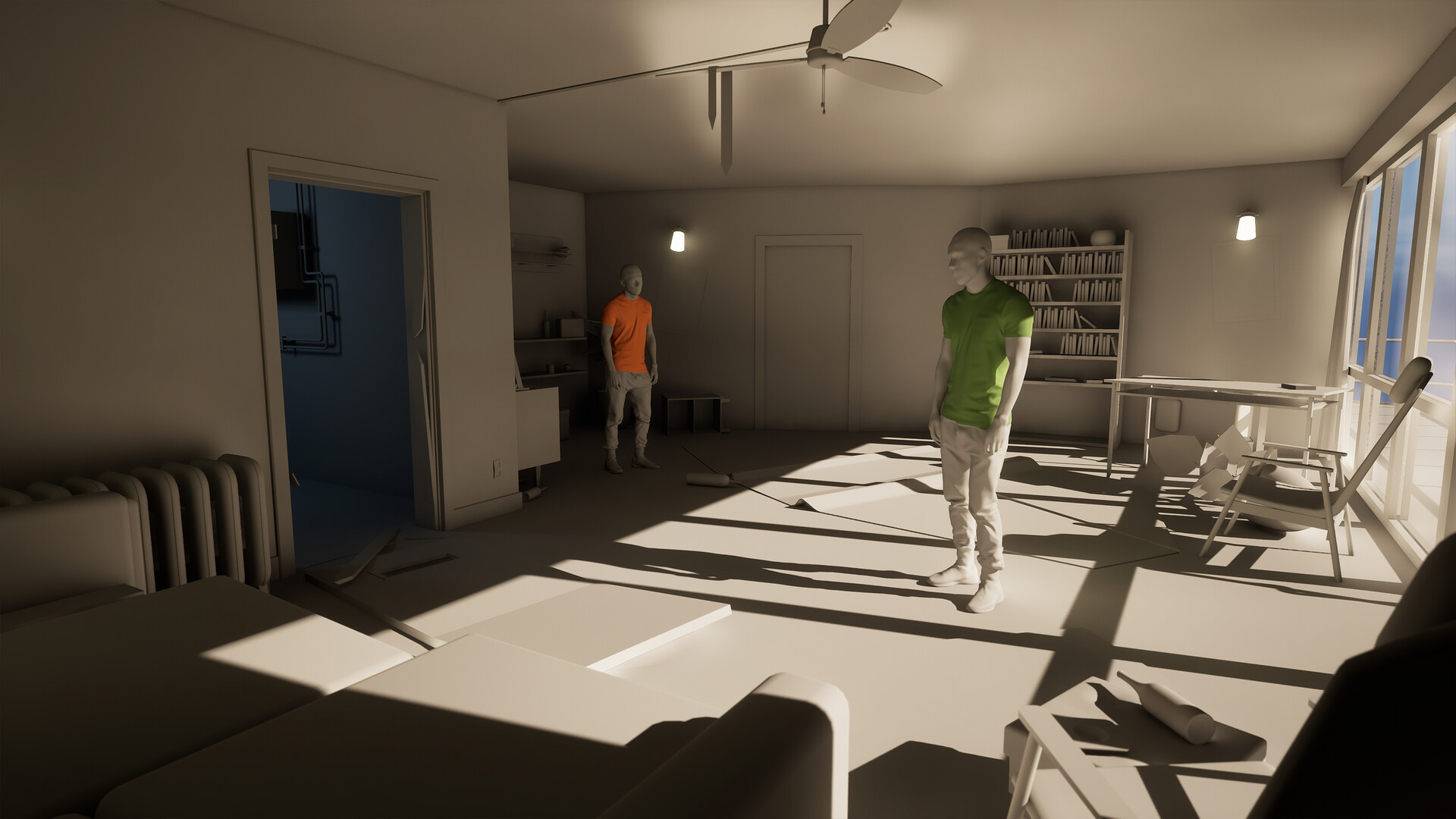
And finally I’m still working on the orthographic camera shot. I’m still getting some errors with the ortho camera in 5.3.1, but it does seem to be behaving marginally better? Maybe it’s because I made adjustments to the clipping distance, but I can’t be sure. Still unsure on what’s causing the bugger shadows but hopefully it gets fixed in 5.3.2. Either way I’m in no rush, I’ll still need to do some super rough texturing on the bathroom assets to get that up to scratch from this angle. 

That’s it for now, thanks as always if you’ve taken the time to read through :) hopefully only 1 or 2 more blog posts before it’s done. Getting pretty close to the finishing line now I think!

Detective's Room Update 5

Work In Progress / 18 September 2023

Back again with another scene update after a couple months! Been taking a bit of time away from the scene, but have been back for a couple weeks now that I've thoroughly rinsed Baldur's Gate 3. The scene has had a lot of changes, extra assets, and some additional story elements introduced.


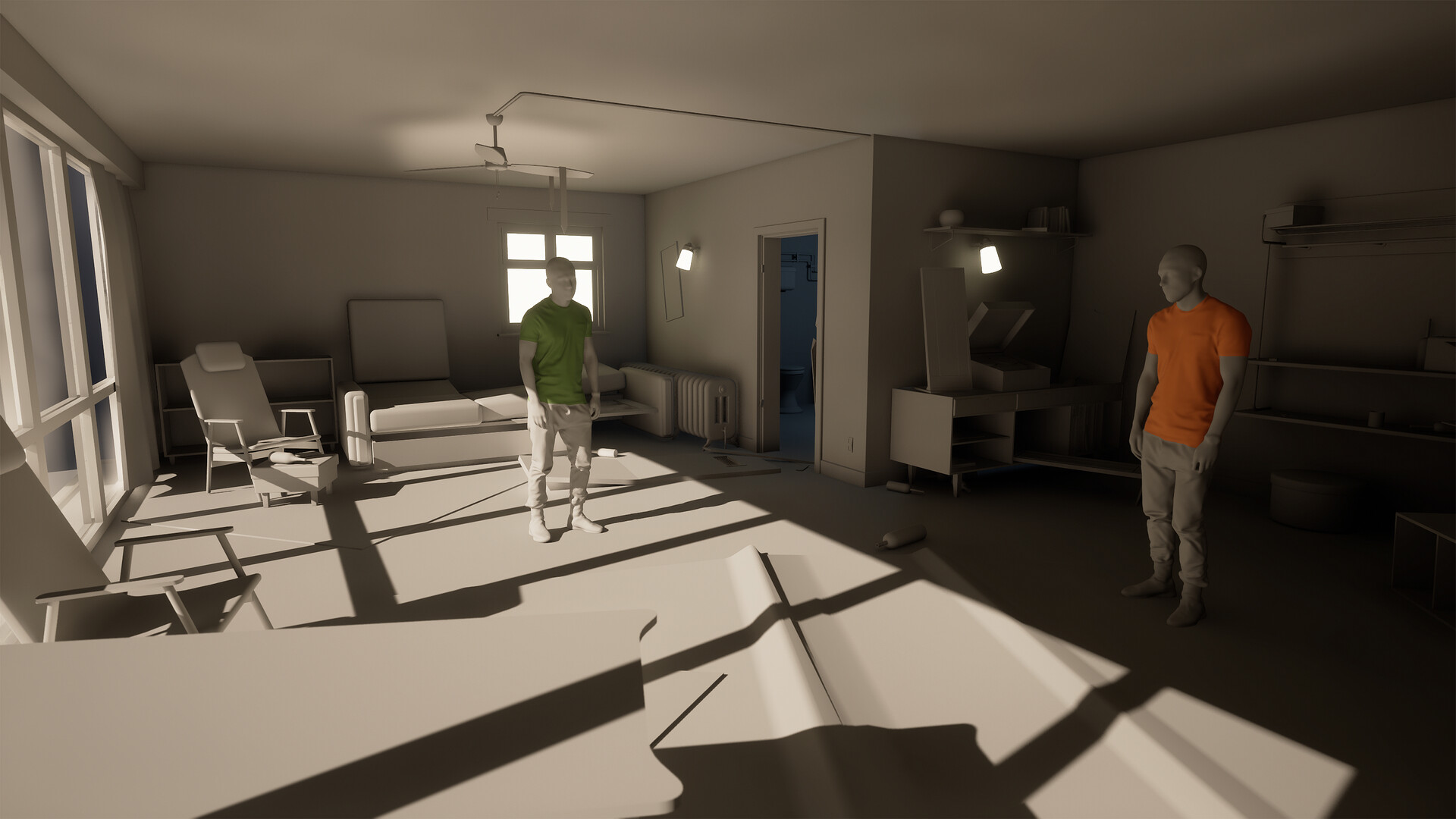
The lighting has been changed once again! I received some feedback that the harsh contrasty lighting wasn't quite doing the scene justice and wasn't feeling much like my reference material either, so I've opted to widen the directional light so much that it's filling the room much more evenly while still leaving a bit of contrast. We've also got less noisy shadows coming in from the furniture by the window which is helping with how the floorspace reads. 

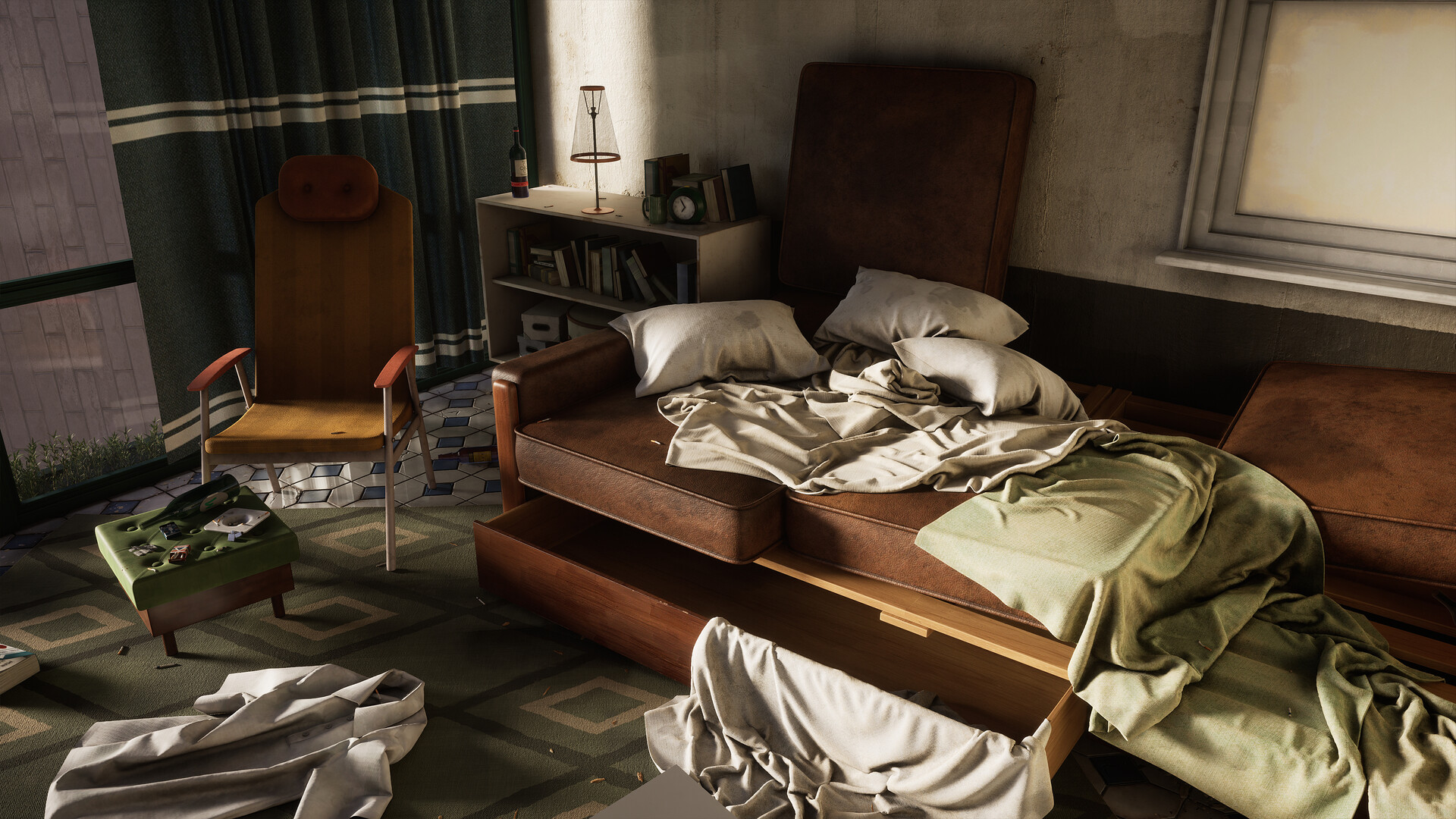
The scene has had some new assets thrown in, most noticeable from this angle would be the shirt, trousers, necktie on the fan, and the plant, amongst some other small bits of scatter and debris here and there. 

I also decided to finally wrap up the work on the loose magnetic tape, and also scattered around some empty cassettes for logic. I think I will still hang some additional bits of tape over the record player when that assets complete, and maybe also on the wooden unit, but I'm quite happy with how the chaotic tape looks for now.

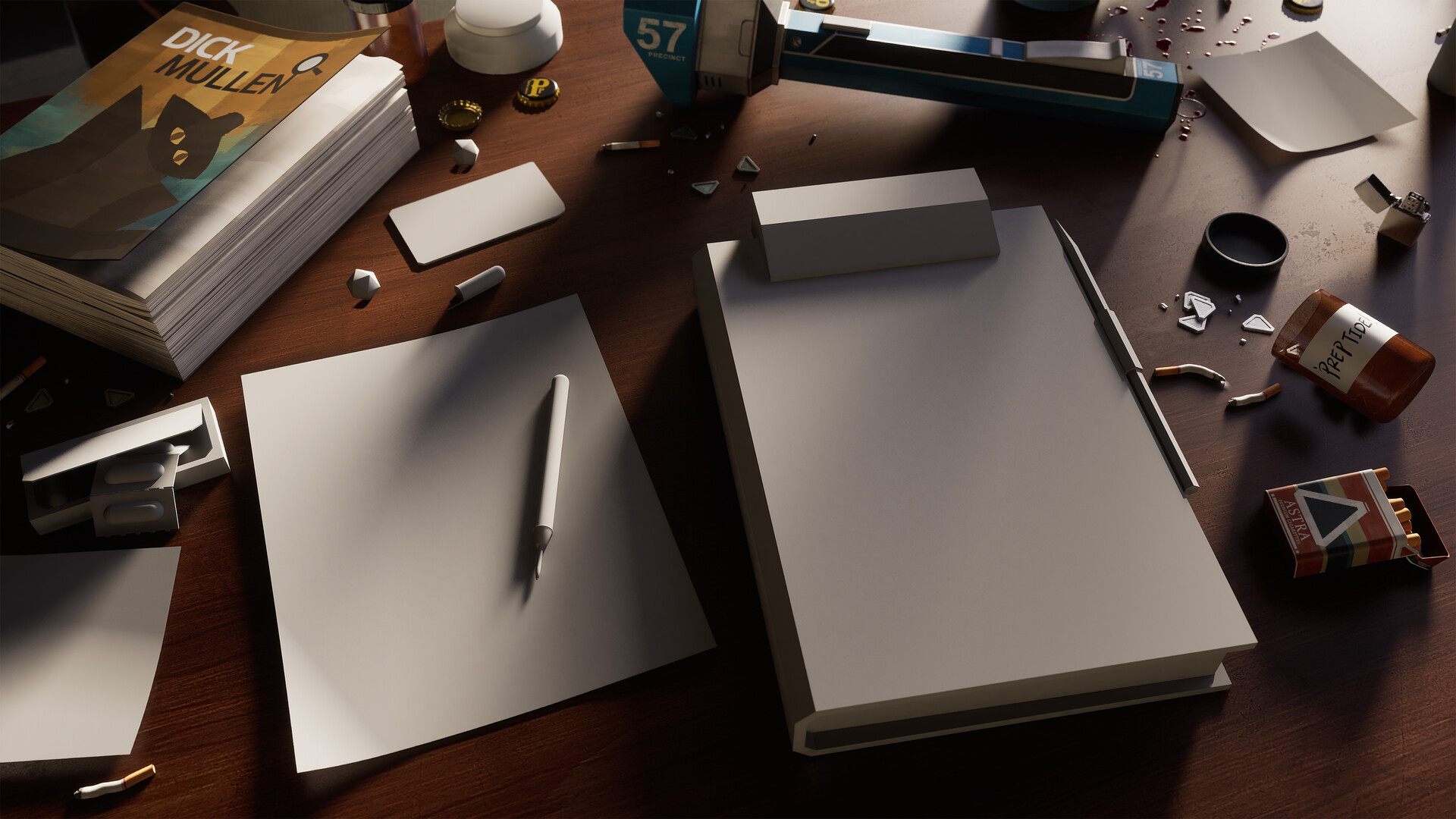
I've also started working on some smaller areas where we can push the story telling a bit further. Here we're going to have all of the police equipment our detective uses laid out on the table ready for him to solve the murder of the hanged man. Also a couple of cigarettes, a fiction book about a detective, some speed, and military grade radiation sickness medication with some nice psychedelic effects! I'll be looking for a couple of other places to do something similar, but focusing on the characters other traits. I'll most likely place these around the record player and on the footstool near the chair.

I've also started working on an orthographic camera shot to mimic the angle of the game which has given me a lot of confidence as it's really starting to give me the vibes from the game! I don't quite know how to set up the new 5.3 camera, so this is just with the standard orthographic setting on the standard camera and it still appears to have all the issues of old. 

If anyone knows how to use the new 5.3 ortho camera please gimme a message, as you can see I'm running into some interesting lighting and rendering bugs.

That's all I've got for now, still lots of assets to crack on with, lighting to tweak, and feedback to work on. Special thanks to Jacob and Ben who gave some really good suggestions for how to push the scene further. 

Detective's Room Update 4

Work In Progress / 06 July 2023
Another update! It's been about a month since my last post and a lot has changed.

One of the nicest new assets is these bedsheets I simulated in Marvelous designer. It's nothing too complicated, basically just a lot of rectangle patterns. I'm making the use of these nanite budgets now, keeping the assets nice and high poly to create all those nice shadows. Thankfully Marvelous allows you to export the cloth patterns as your UV's so I saved all the effort on unwrapping and could jump straight into texturing.


The next main change was to switch the material of the ceiling. I think in previous posts I'd expressed my discomfort with how bright it was, it really didn't fit the theme, so I looked for some materials that might fix this, and I found this wood plank material on Quixel Bridge which worked really nicely to help tie the scene together. The place feels a lot grungier and darker now, though the plank ceiling looks a bit too refined for this space, so I will eventually replace this material with a wood viynl which will be grungier and have some tears and rips to help maintain that aesthetic. 

The last major update has been the lighting. I wasn't happy with how flat it was before, so I've introduced a bit of contrast and allowed the directional light to cast some more shadow. I'm struggling a lot with lighting in UE5, getting Lumen to work nicely is very different from what I'm used too. Not entirely sold on this lighting set up either, but just fun to keep experimenting and trying things. Will probably iterate on this more as I go. 

And to wrap up, here are a couple of assets I forgot to post, a couple of new books and a couple of chairs. The scene has had a bunch of different assets added, but pretty much all of them are so roughly texture I'd be embarrassed to show them this close up. 

Thanks for reading, would love to hear your thoughts on the project so far! 


Detective's Room Update 3

Work In Progress / 05 June 2023

Got another update for my scene, bit of a smaller one this time round, but I've been working on polishing a handful of different things. 

I've been refining the tiling wall textures to something a little more realistic, but still using the heavy disco brush strokes. I'm feeling like I'm starting to strike a nice blend between stylised and realism, but I'm going to let it sit for a while and see how I feel while I work on other scene bits.

I'm definitely leaning into pushing the scene to be just a bit grungier to match the tone of the game. The place isn't derelict, but needs to feel partied in and aged. More wear and tear will crop up on the assets when I get round to polishing the assets.

I've started to block in super rough textures and materials for some of the larger props in the scene and things are starting to feel a lot more complete in the living room now. Getting materials going for the sofa and speakers, even if they're really simple, has helped the scene feel a bit more cohesive. I think the next step is to work on the doors and the plants, then the record player. After that it's just a handful of simple assets.

I still need to block in the pillow and sheets on top of the sofa bed, as well as push the record tape further, but I have 0 motivation to sit and simulate shapes at the moment, just wanna keep blocking in asset textures. 

 I still feel like the room is missing a center piece, the character is supposed to be the centerpiece in the game as he wakes up from his drunken rampage in the center of the room. I'm thinking about ways to mix things up and introduce some larger pieces of dressing that fit the theme of the game and the scene that can fill the void of the character. 

On top of this, I think just more general party vibes are needed. I've started throwing around some stain decals (which are temp atm as they are just blood splatter decals made by the great Jason Ord) as well as some additional assets, but I can definitely go a bit further and make the scene feel more chaotic and partied in.

I also got the fan spinning and turned the light on to balance some of the lighting in the scene. Still not certain on the lighting, but it feels nicer than the last post I think! That's all I've got for now, would love to hear any thoughts on the progress so far. 

Detective's Room Update 2

Work In Progress / 24 April 2023

Hey all, got another update for my Detectives room scene. It's been pretty slow going on the project over the past couple of months and the scene hasn't quite progressed at the pace I would have liked, but I think the scene is progressing quite well despite some hurdles figuring out UE5 and Blender.

I've mainly been focusing on building master materials for standard assets, decals, tilables, glass, liquid, etc. It's been a lot of general scene management and set up like setting up movie render queue for screenshots, lighting, postprocessing, all stuff in a good place for me to tweak in the future.


I've blocked out most of the tiling materials for the main room and although they're looking pretty rough and dirty, they're starting to sell the vibe. The ceiling texture is currently just a megascans stucco as I wasn't quite sure what I wanted to do for that. Because the game only shows this room from a locked isometric perspective, we never get to see the ceiling and I'm not quite sure what I want to do for it yet. I think my first step might be to play with the lighting to see if I can lower the bounce on the ceiling. Also, you can see in most of the shots that there is strange lighting coming from the ceiling fan, still need to investigate what's causing that to happen.

I decided to switch the lighting from Lumen over to fully ray traced. I found that lumen was causing a few lighting bugs with my current set up (which probably isn't the correct way of doing things) and switching over to raytraced lighting fixed them. I'm not entirely sold on the current lighting set up and time of day, it's all a bit too warm. I managed to disabled world partition and I can manually add levels to the scene, so I'm going to have a few lighting sublevels to try and get a few different time of days going. The game has a few different lighting states and it would be fun to try reproduce them. 

I need to figure out a nice frosted glass solution for the exterior facing windows. I would like to do some really rough models for the exterior that just focus on primary forms that sell the exterior to prevent me from having to model an entire exterior. That said I could do some more detailed stuff purely off camera angles if the frosted shader doesn't really hold up, but I'm gunna worry about that at a later date.

I also did a bit of work on chaotic overflowing record player tape. I set up some splines, arrayed a plane across it, then applied cloth simulation to the mesh which helped it fall quite naturally. Because the planes had normalised UV's, I should be able to set up a nice tiling texture to make this all look like record tape too. It doesn't quite look how I imagined, but I've learned enough to start over and getting it looking better.

I think overall the scene is starting to get a bit more cluttered and busy, but is still lacking a lot of visual noise we'd expect to see in this scene, so I'm going to think of ways to get this place looking dirtier and more chaotic to really sell the vibe of the location in game. 


That's all for the update for now, but to see how things have changed, I've posted a shot of where the scene was at about 2 months ago. For now I'm taking a little break from the PC and I'm off to Spain on holiday. I'm looking forward to coming back onto the project refreshed and ready to tackle some of the larger assets in the living room. 

Thanks for reading!  

P.S I have given up on trying to format my blogs properly, it's too confusing. They will be messy from now on.

Detetive's Room Update 1

Work In Progress / 22 March 2023

Hey all, this is my first update for my scene inspired by Disco Elysium. I wanted to dive straight in to asset creation to start figuring out how I would go about texturing these assets to retain some of Disco Elysium's brush stroke and painterly style. 

So far I've been focusing on trying to do a variety of different types of assets to get a feel for how to get these materials feeling good while maintaining the style. I'm going to breakdown a little bit of what the assets are and some of the decisions and processes I've been taking as I've been making them.

Books

Disco Elysium has a very wide range of books which the character can read and learn from. They're all quite unique in shape and size, but the "Man from Hjelmdall" series and how they look really caught my eye. The books are a parody of Conan the Barbarian, where the Man From Hjelmdall swoops in with his dual Zweihänders to save the day, and rescue the damsel in distress.The books each have a core colour scheme and style, with a few elements changed on each. The main element that changes is the cover art and colour. As the book only has two of the books in the series in game, I've had to come up with some of my own covers, and I look forward to making a few more as the in-game series has over 40 different books. I also adapted the design just a little bit to add some extra details to the binder which should help the books stand out if I end up placing them on a bookshelf. 


Clock

This clock was one of the first assets I worked on for the scene, and although it's location is really out of the way and may never really be spotted in the end shots, I loved the shape and materials and felt like it would be a lot of fun to make. Getting the plastics feeling right with the style was really difficult and required a fair bit of iteration, even as it stands I might go back to exaggerate stuff a bit further. I also discovered that making metals for this kind of style would require a big change in direction from what I'm used too. I initially tried to make everything really realistic, adding a lot of layers of grime and rust, but eventually had to pull back almost all of those details as it just looked too noisy and realistic. I'm still not entirely sold on the metal as is, so I might have to return to it at some point


Bottles

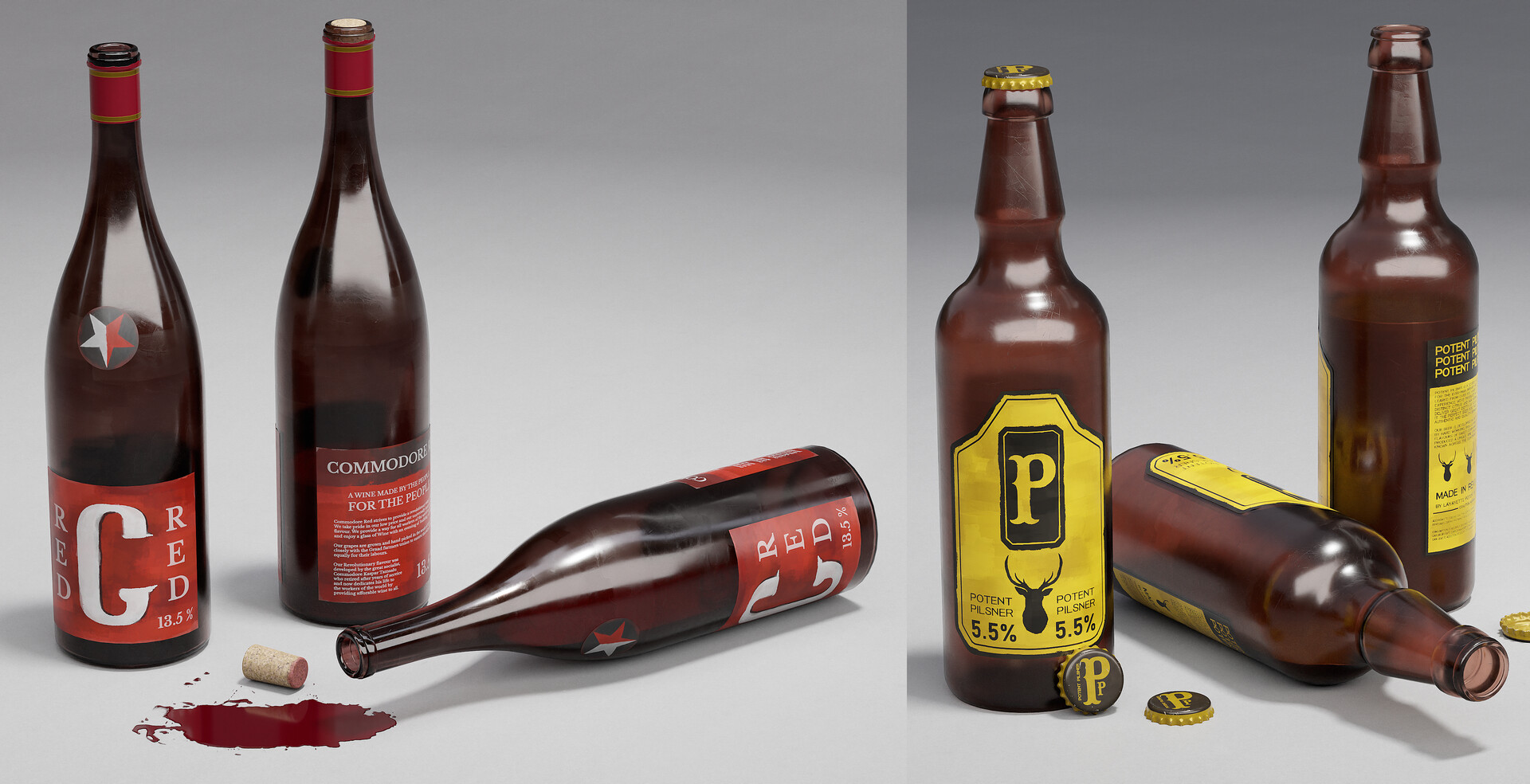
The room is a victim of a three day drinking and party binge, and the wine and beer bottles were going to have to come in sooner or later. A lot of the branding in the game for these assets is unspecific, so I took a bit of liberty with some of the designs. Commodore Red is a cheap and sugary wine, and there isn't a great deal of description beyond that, so to stick with the political themes of the game, I decided to theme it around communism and made a drink that's affordable for all people of differently social levels. Potent Pilsner leant into a mix of being a craft beer / cheap lager. it has fairly "trendy" branding.  Both are sticking to the theme of cheap and high alcohol content which fits our character nicely. There will likely be a couple more beer / wine bottles to be make, I definitely want some green bottles knocking around the scene, and maybe a spirit bottle. Not sure yet, but enjoying the branding challenges presented by these.


Wood furniture

The scene has a lot of different types of wooden furniture, so I decided to make a wooden smart material which I could just apply to all of these assets. So far, none of the assets really have any hand painting applied and they do look super basic. At the moment, they just have a different hue depending on the color of the specific asset. Because I've slowly been working on the material as I make the assets, it looks a little different on each of the assets, and they'll be something I come back too once the material is a little better refined. Using the same smart material for most of the wood in the scene has been great for saving time and retaining consistency in the style of the scene. I've found myself making a lot of smart materials for this project and it's been a great exercise and is really helping speed up the texturing pipeline for the project. 

Wrap up

Although a lot of the assets are lacking a bit of polish, I've really enjoyed trying to learn a new style and mix it with my own. I've been studiyng a lot of Dishonored and Deathloop art to try figure out how they stylize their work (been studying the works of Yannick Gombart and Maxime Goichot, go enjoy their works, it will not disappoint), and I've found that I definitely need to study things a bit closer as I've not fully developed the style, but I'm enjoying the process. 

It's been a great learning experience so far, especially because I'm modelling everything in Blender, however I do find myself going back to Maya for the UV tools, they're just too good. So far I've just been using the marmoset scene I made for my swords to present assets, but I think in future I'm going to work on something a bit custom.

Next post should be a bit more of an update on the scene! Looking forward to showing more over the next few weeks! Thanks for reading :)


PS - To Artstation, blogs are really difficult to use, please give us more control over width formatting, it took a long time to get all of the images to not randomly stretch which would then mess with the text spacing.


Detective's Room Blockout (UE5)

Work In Progress / 17 February 2023

Hey all, been a little while since I wrote a blog post, but I recently started a new project and thought it would be fun to get back into the swing of blog updates. 

About 2 and a half years back, I was recommended by a friend to take a look at Disco Elysium. I was skeptical at first as it's not the genre of game I would normally play, but after the first in-game day, I was absolutely hooked and it has quickly become my favorite game of all time. 

The art style of the game is so interesting, and I have wondered for a long time how I could adapt into a semi-realistic style, so I'm going to try give it a go. I decided to pick a relatively small space, so The Detective's destroyed hotel room in the Whirling in Rags seemed to be a great spot. I worked on a project called Will's Room back before I got into the games industry, so I think it'll be nice for me to see how my eye has changed over the years. 

I plan on studying the texturing in Deathloop and Dishonored 2 and mixing it with the brush strokey style of Disco Elysium. I've not done any texturing this stylized before so If I ended up failing this horribly I hope you'll let me know. 

So far I've just about got the scene blocked out, things like lighting are still a big wip and I'm not sure where I which direction to take that right now. This will be my first project in UE5, as well as my first project using Blender as my main modelling tool. Lots of firsts! 


Learning Organics: 02

Work In Progress / 10 April 2021

What have I been up to since the last post?


TL;DR - More of that foliage stuff with pictures :)


Since the last blog post I've been working away on lots of different things. I've been making ground materials, tree variations, more small plants, created a landscape material, begun work on a new type of tree bark, and started bringing in some Megascans assets to see how they work with my assets.

I've still got quite a way to go, but things are starting to feel right. All of the shots here are not of any final scene, they're all just part of a asset testing area.


More Hemlocks

In the last blog post I showed off the Western Hemlock Bark and Tree that I'd been working on. I was really happy with my first proper tree, and have been making size variations to show the tree in different stages. I've created some more medium size variations, a large one, and a bunch of small ones. I've also started working on the Western Red Cedar textures, but they're looking a bit rough right now, will hopefully look better by the next update.

I've also updated the marmoset scene a bit, still not quite what I want, but it's a step in the right direction. The textures haven't change much since the last update, still need to work on some feedback. The Western Hemlock bark needs some extra detail and albedo variation as it looks very clean and pristine compared to the scan assets I've brought into the scene, and even to some of my ref images.


Small Plants

I've made a bunch of small plants to join the wild strawberry and the poison ivy, and I feel like the repetition of making these has built a tonne of confidence in creating plants. I've stuck to the same workflow of modelling in Zbrush and texturing in painter, and I've got some good presets to help speed me through the process now. There are some I'm really happy with, and some that could use some love, but I'll probably leave these where they are for now.


Ground Materials

As I mentioned in the last blog post, I'm not very experienced in using Substance Designer, and creating the ground materials has proven to be a pretty big challenge. I tried making a dirt material a few different times, and each time I got overwhelmed by the amount of things I needed to create in my reference. Sticks, dead needles, fallen leaves, rocks, etc. Trying to get it all into one graph became quickly confusing and also pretty laggy, so I decided to split each scatter component into a separate graph and create variations to sample in each of my ground materials. Trial and error is slowly improving my workflow. Studying the works of Daniel Thiger, Willi Hammes, and Pete Mc Nally, amongst others, all helped work out how to build these materials and what to aim for. 


Landscape Material

Instead of using distance field blending like I've done before, I thought I'd experiment with Runtime Virtual Texturing. I followed this video by MR3D-Dev on how to set it up for a project, and also picked up Kay Volbeda's RVT Plugin. Although I didn't use assets, it was very useful to see it used in a scene and take apart his set up. The blending with RVT looks really good, and the controls per material are very flexible. Definitely better than using the old distance field method. 

Megascans

One of my goals for the project was to see if I could get my assets looking good alongside Megascans assets. I've found it's been good to train the eye and to breakdown references for the smallest of details. In some of my asset arrangements, the result is fairly convincing, but in others, there are still a few detail gaps. The scans provide a very good quality assurance pass for my work and it's definitely helped highlight some gaps in my work.


What's next?

Here's another list of what I want to try achieve for the next update;

  • Plant cover ground material
  • Pebble shore ground material
  • Ivy cluster assets
  • Make some waterfall vfx
  • Get a river spline
  • Western Red Cedar material and branches
  • Start assembling the scene.

I managed to stick to my last list pretty well, so here's hoping I can do the same again. 


Thanks for reading to the end if you managed, as I said last time I'm just learning stuff right now so if you have questions the best I can do is shoot the resources that taught me your way. Thanks again to the lovely people keeping me motivated and focused on this one, I love ya.

Learning Organics: 01

Work In Progress / 29 January 2021

So, what's all this then?


TL;DR - I'm learning how to make foliage and writing about the journey. pictures included.


After wrapping up the Vending Machine last year, I decided that I'd learned enough about prop creation for the meantime. I've in no way mastered the craft, but I'm happy with what I've learned, and it's time for something new. I know very little about creating foliage, so I want to learn more about it and the tools used to create it.

My desire for this project is to not make every plant for a scene, but to develop the skills to be able to tackle foliage for projects when I need too. I find myself too worried about working on certain scenes or concepts because I can't tackle the organic elements and I hope by the end of this project I will have slain that fear. 


What I've done so far

So far, I've been working on a collection of different foliage assets that you might find in the Pacific Northwest of America. If all goes well and I keep my motivation for this up, I plan to create a small forest scene in that area. As of right now, I've been working on a Western Hemlock Tree, Western Sword Ferns, English Ivy, Wild Strawberry Plants, and Poison Ivy.


Western Hemlock - Tree

The Western Hemlock was the first asset I approached as it required the steepest learning curve. The Western Hemlock was a pretty good starter tree as it's got simple forms. The shot above shows the only variation I've made so far, "Medium_01". I plan to make smaller versions, medium variations and much larger ones. Apparently the tree can grow up to 175 ft tall, which will be a fun challenge to create. 

I'm happy with the main shape, but there's still a few lingering issues with this first tree. The top of the tree doesn't look quite correct, I struggled with getting the top of the tree to bend properly as I'd seen in my ref. The top of the tree is supposed to slump a lot more, and the branches are supposed to get much thinner. I've struggled to achieve this with my current branch and leaf set up, and I'll change it for the next versions. 

Example of the top of real Western Hemlock

My atlas is missing some smaller pieces and individual pine cones / needles, but I'm pretty content with the main branches so far. To create these, I modeled and textured some high poly needles and pine cones, then brought them into Speedtree to assemble some branches using the basic branch template. Some of needles are clipping with each other in places, but I haven't been able to work out how to use Collision. I've found that the Speedtree YouTube tutorials vary massively in quality making it a little tough to learn from there. 


Western Hemlock - Bark


Old Marmoset Render, Still trying to work out a nice way to render materials in this. Cubes are so much easier!


I wanted to create two versions of the Western Hemlock bark, one with sawn / fallen branch spots, and one without so that I could blend between the two based on tree height. The shapes were a lot of fun to work out, and creating the sawn branch spots was probably the most fun I'd had in Designer. I'll probably share shots of the graph when I've un-spaghettied it.

Again, although i'm happy with the bark, there's still a few issues to resolve. To pick out a couple of big ones; the sawn branch version has some awkward double lines I need to fix, there are some really obvious areas of small bark cracks which don't blend in nicely, and the textures could use a bit more colour variation. I'm not sure whether I want to add macro variation in engine or push the textures further.

To help with break up on the all the trees and assets that require it, I've been adding vertex painting to my materials. So far, I've been experimenting with some different moss types. On the left, you have a more common fibrous and thick moss. I'm not getting the read or blending that I'd like, and I feel like there isn't enough colour variation throughout. It's not been the easiest thing to create in designer, but I'll keep iterating on it and studying the ref until it feels good. On the right I've made an older, drier moss that you might see higher up on trees and in drier seasons or climates. 

Western Sword Ferns

The Fern was the first big plant for the project, but it went a lot smoother than I had imagined. I created the main leaves in Zbrush / Painter and brought into Speedtree for assembly. I've created a couple of small, medium, and large variations and I imagine there will be enough variety if they were thrown into a forest scene. 


I modeled in some smaller fly away leaves to add a bit of a 3D feel to what is just bent flat planes. I probably could have pushed these further as they don't break the silhouette as much as I would have liked, but the effect is cool from some angles. I could also optimize these further and make better shapes with the amount of geometry I've spent, but these are lessons to take to the next assets. I also learned that I should paint my vertex colour at this stage to avoid having to try and paint it on finished clusters...

To create the young unfurling branch, I hand placed the leaves in Maya, created a furry vine in the middle with Xgen, Textured in Painter, then used Substance Designer to bake down the textured high poly model onto a side and front plane. The crossed billboards look pretty good for the front, but I had to model the head in 3D as it just wasn't looking great in 2D. 

Finally, I created some fallen scattered branches that can be placed underneath the ferns. I'll make a couple of variations of these as I've found they really help age the plants and ground them in the scene. I also added some very basic hueshift and desaturation controls so I could age and decay some of the fallen branches. 

Decals

I've not dived too deeply into decals this project, but I've still learned a couple of cool things in designer. The first thing I created was this cracked bark decal generator. It relies on a shape input, but the rest works it self out quite nicely. Although my ref for these cracks are pretty clean, I think it could do with some more details like little moss and dirt spots and build up.

I've also created some scattered floor leaves and needle decals to place under the plants. I discovered the atlas scatter node (which is probably very much common knowledge already) and it basically does all of the scattering work for me. I bring in my textured high poly sheet, create a material, plug the material into a atlas scatter node, add some colour variation, and bring it into engine. Simple as that.

I'm hoping that the scatter node will be helpful for blending when I start working on ground materials. Being able to blend these in should help tie the scene together nicely. 

Ivy

For each leaf and pine needle, I'm creating high resolution high poly / baked assets. I check them out in Unreal before starting to assemble my atlas and clusters just to make sure the material is reading okay. These ivy leaves look a little over-detailed and noisy, but the extra noise helps when they're baked down into clusters. 

I've been building various Ivy Clusters in Speedtree, but I've encountering more and more issues with collision. It takes me quite a long time to get a nice looking cluster without too much clipping, but I've probably got enough clusters now to create an atlas. 


Wild Strawberry and Poison Ivy

The most recent addition to the project has been some ground cover plants. I hope to get 5/6 different ground cover plants with some different flowers and colours. As of right now, I've got some medium and small clusters of Wild Strawberry plants and Poison Ivy. Smaller flowering and fruit bearing plants are going to be the best way to add nice little bits of colour for this scene. They look a little noisy right now on the blockout floor, but I imagine they'll lose a lot of that contrast when placed in forest dirt. I felt a lot more confident building these compared to the ferns which was a nice achievement.


What's next?

Here's a little list of things I hope to achieve for the next update;

  • Ground dirt material
  • Western Hemlock variations
  • Western Red Cedar tree and materials
  • Some small grass tufts
  • Oxalis bloom clusters
  • Rattlesnake Plantain plant
  • Orange Honeysuckle plant

No promises that I'll get them all done, just going to focus on learning something along the way. 


Thanks for reading, I didn't go into much detail about where I've been learning from or how I've been making things, so if you have any questions, feel free to comment or shoot me a DM. Or you can wait for a more comprehensive write up if I ever finish this. To the people who've been giving me feedback and tips so far, thank you very much, it means a lot!

Invasion - Blocking out

Work In Progress / 24 March 2019

Thought I'd write a quick blog post about my new environment piece. I've been trying a load of new stuff with this project, and there's so much fun stuff to come. The project is still in it's early block out stages! This post will just be about my progress so far.

I started with the desire to learn more about landscape materials and terrain tools in UE4. I started with the snow ground tutorial from Jacob Norris, and decided to create a whole scene with that knowledge as a foundation. Whilst searching for references for the project, I came across Sergey Zabelin's "Castle in a snowy forest" (https://www.artstation.com/artwork/3w1EJ ) which really inspired me. I decided to start with his concept as a foundation, and work from there.

The mountains were the most important part of this scene, so I worked on those first. Very recently, Quadspinner (creators of geoglpyh for Worldmachine 2) put out their own terrain modeller, Gaea. The tool takes a lot of great tools from Geoglpyh and Worldmachine as well as adding some new stuff. It's got a lovely UI and rarely lags. It's pretty new so there's LOTS of bugs, beware if you want to use it in production! The tool is free with a 1k texture map limit, but to get around this, I exported the high poly mesh mountain to bake onto a plane for texturing in Substance Designer. The normal map can be used to generate height, curvature and AO info with little effort and no cost :) 

Disclaimer - Rocks in the scenes (and the thick curvy tree) are scans from Quixel and the Epic Games Boy and his Kite demo that I've run through my master material. Unlike my other projects, I've decided to use some assets that I haven't mostly authored so I can put larger scale scenes together a bit quicker. 

I decided that I wanted to create a large castle on top of the mountain, with a treacherous climb to reach it's entrance. I also wanted to create a large border wall stretching across the mountains to give a reason for the position and attack of the castle. Viking style invaders trying to break into the land of a medieval French style kingdom. 

The siege camp is in its earliest blockout phase. I'm working out where I want to place tents, fortifications, wagons, equipment, etc. in a realistic manner. More research into this area is necessary before moving forward I think. For the tents and flags, I plan on utilising some of the techniques show by Krzysztof Teper in his Korath scene to get a nice wind blowing the fabric.

 I used a bridge and a small river as a division between the two sides. This helped seperate the scene into two digestible areas; the siege camp and the castle.

The castle is still in a really early blockout phase, and I will need to start working out how I want to make a kit out of the pieces. So far I have been experimenting with splines, but I've been struggling to create walls on the Z Axis without the meshes freaking out, so more research needs to be done there I think. I will also need to add significant destruction and decay to these areas, as I want the siege to have been successful, destroying significant parts of the castle in the process.

That's about it so far. Still so much to block out and iterate on! Let me know what you think, or if you have any questions about the scene so far don't hesitate to ask. 

Cheers for reading!